 Pebble Reef
Is there a virtual pet for Mac? Yes. Pebble Reef is a fish desktop pet for macOS 14 or later. The fish live in an aquarium behind your windows, swim independently, and can be fed when you open the app.
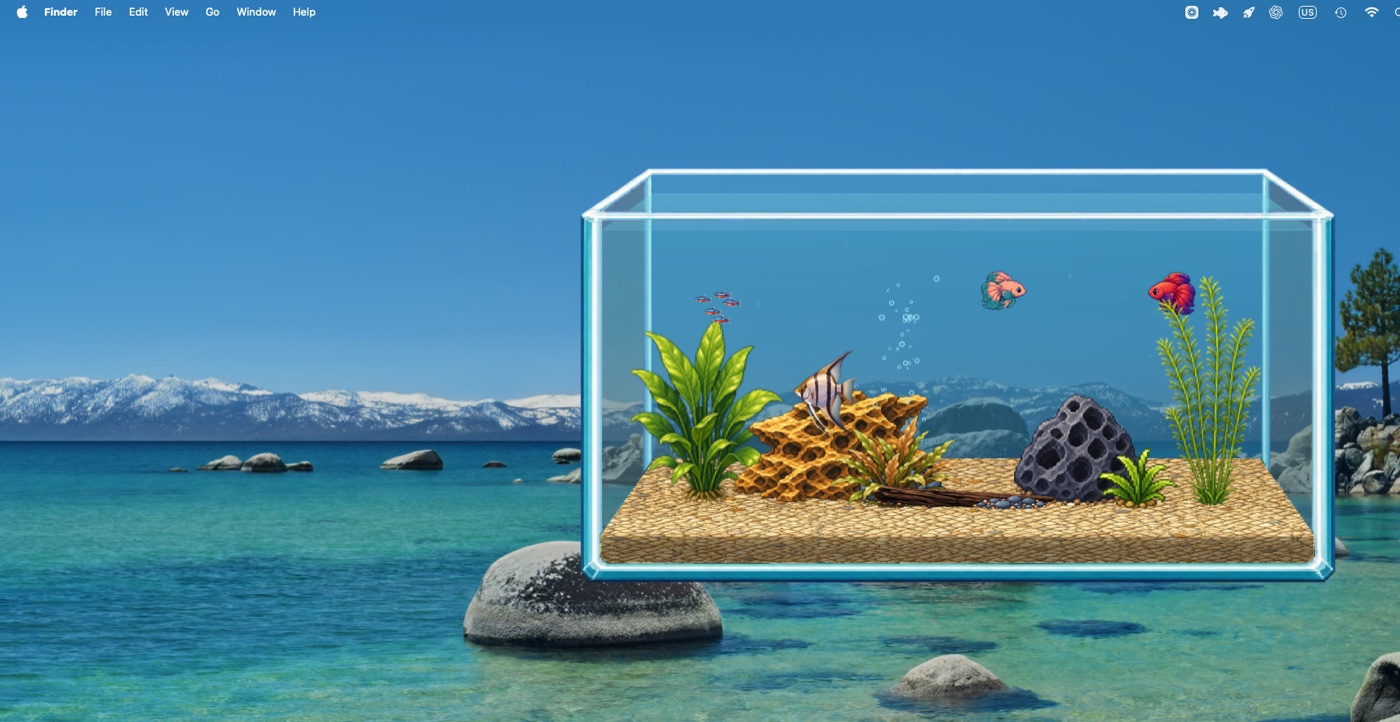 Captured on Mac
See the desktop aquarium
See the virtual fish pet behind Mac windows.
What is a desktop pet?
A desktop pet is a small animated companion that shares your computer screen during ordinary use. Some desktop pets walk over windows or sit near the Dock. Pebble Reef takes a quieter approach: the pet is a community of fish contained in a living desktop aquarium.
That changes the feel of the experience. The fish remain visible around your windows without covering the document, browser, or code editor in front of you.
Why use fish as virtual pets?
Fish are naturally suited to an ambient desktop companion. They can keep moving without needing constant commands, and their tank creates a sense of place rather than a single character floating over the screen.
- Autonomous: the fish continue swimming while you do something else.
- Interactive: you can feed them and observe their routines.
- Contained: the aquarium stays behind other Mac windows.
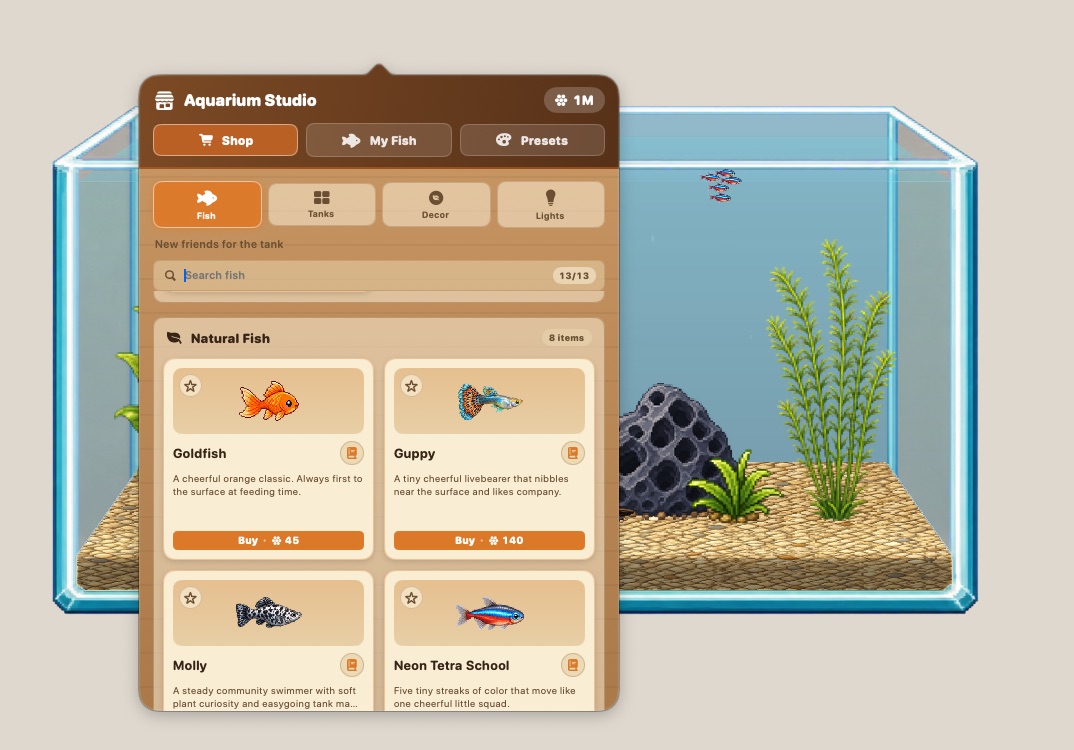
- Customizable: included fish and theme packs change the look of the reef.
A desktop companion for your Mac
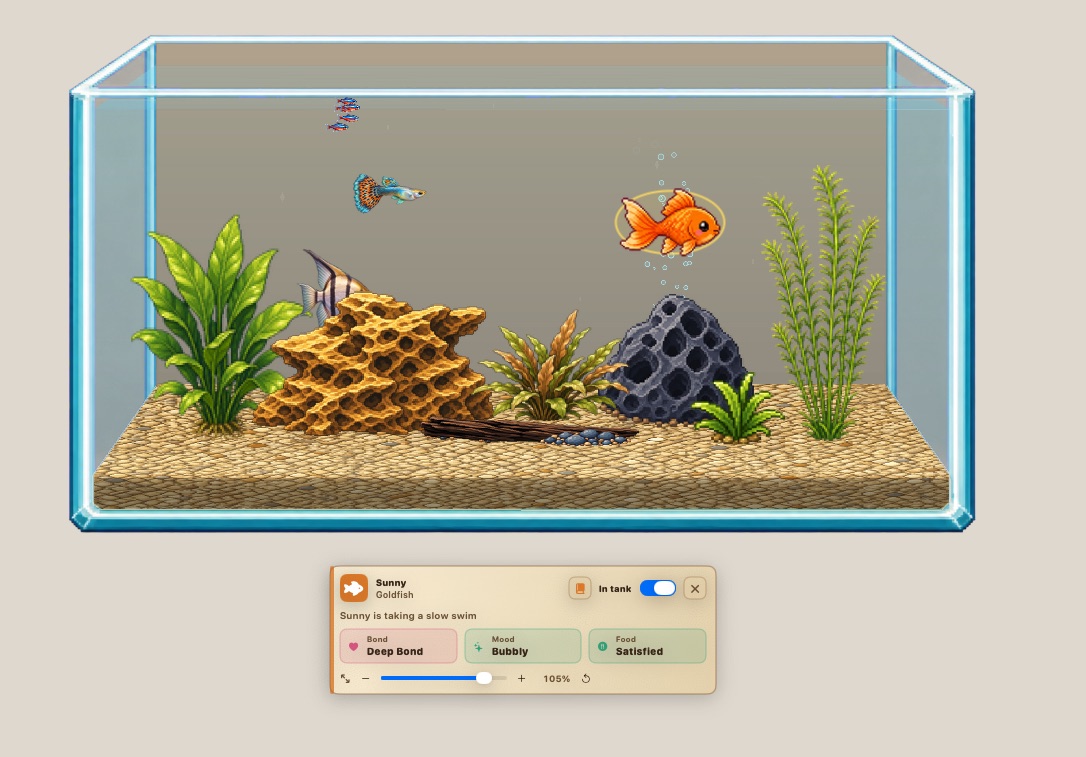
“Desktop pet,” “desktop buddy,” and “desktop companion” are often used for the same idea: a small character or creature that keeps you company on your computer. With Pebble Reef, that companion is a tank of virtual fish. You can name them, feed them, and arrange their home.
The aquarium stays behind your windows. It works with your existing wallpaper, and you can resize the tank or bring it forward from the menu bar when you want to check in.
Choosing a desktop pet
| Kind of companion | What you interact with | Where it lives |
|---|---|---|
| Roaming desktop pet | An animated character that may react to clicks or window movements | On the Dock, along window edges, or over apps |
| Pebble Reef fish aquarium | Virtual fish you can feed and name, in a tank you can decorate | Behind your normal Mac windows |
| Chat companion | A character or assistant you talk to through text or voice | In its own app or chat window |
A desktop pet that stays out of the way
Pebble Reef is intended for working, studying, writing, or relaxing with a little movement in the background. It does not claim to improve productivity, and it does not require a streak or a constant stream of notifications.
Open it when you want to interact. Leave it behind your windows when you want quiet company. If you want a character that walks over every app and reacts continuously, a conventional desktop pet may be a better fit.
Pebble Reef quick facts
- Pet
- Virtual fish in a living aquarium
- Platform
- macOS 14 Sonoma or later
- Hardware
- Apple silicon and Intel Macs
- Cost
- US$3.99 once; local pricing in other regions
- Position
- Behind normal Mac windows
- Account
- No Pebble Reef account required
Frequently asked questions
Will the fish cover my other apps?
No. Pebble Reef is designed to remain behind your normal Mac windows.
Do I have to keep feeding the fish?
You can feed and interact with the fish when you choose. The app is designed as calm ambient company rather than a demanding reminder system.
Is the desktop pet free?
Pebble Reef costs US$3.99 once, with local pricing in other regions. Every released fish and theme is included, with no in-app purchases or subscriptions.
Meet your fish.
Get the complete desktop pet for Mac.